In Microsoft Word, users can generate banners. Banners are advertisements that can be found at the top of a page and appear in the form of a rectangle. In text publishing, banners can be used for decoration.
Clip Art is preset graphics available for use in Microsoft word. It can be inserted into a document and modified, to give documents more color and can be found in specific categories or fields. New Clip Art images can be downloaded to add to the Clip Art file folder.
A Drawing Canvas is a feature provided by Microsoft Word that allows users to edit images and graphics in a new window with more tools and options for editing. Blur effects and more can be added to these images. This feature can be disabled or enabled.
Drawing Objects in Word Processing is basically adding a picture to a document, and customizing as though it is being drawn again. Unwanted portions of a graphic/object can be removed, brightness and transparency can be adjusted, sizes and rotations can be made, and objects can be overlapped.
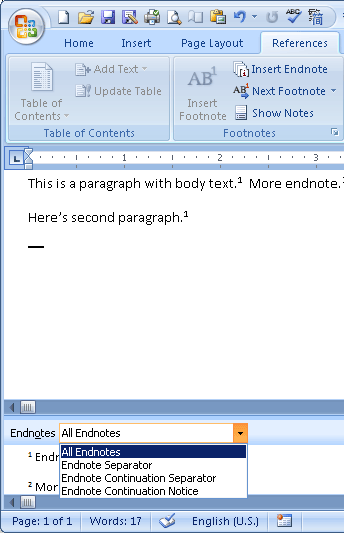
An Endnote is just like a footnote but instead it is an annotation placed at the end of documents. Endnotes also serve as conversions from footnotes, and a conversion from a footnote to an endnote can be established by using Microsoft Word. Endnotes are automatically remembered when text is either added or deleted.
Footnotes are inserted at the bottom of word documents as references for the document. They can specify resources used in creating a document such as borrowed material or explanatory information about a text.
Graphics are computer images that can be added to a word processors. They can be modified, resized, cropped, rotated, and Microsoft Word offers many tools and options for manipulating graphics.
In Word Processing, Headers are defined as either one or two lines of words that appear on top of a document. You can specify a header style, and the text that you want to be displayed in the header, and then it is automatically inserted by the processing program, in most cases, Microsoft Word.
Sizing handles are graphic indicators in graphic user interfaces that allow users to re size, and modify the size of a window. They are usually found at lower right corner of a window.
Style is the term used for applied formatting for text in word processing programs such as Micorosoft Word. In Microsoft Word 2007, the style option can be applied by accessing the Style Menu in the program window, and applying many of the created style formats.
Superscript is a Word Processing feature in which text characters and symbols seem to appear slighlty above a line. And opposite of Superscript is Subscript in which characters appear slightly below a line.
Templates are used in Word Documents, Presentations, and online resources such as Blogger. Templates basically set the display or format of viewing for a page. Different fields already exist in Templates, and they all have designated locations nd specified lenghts.
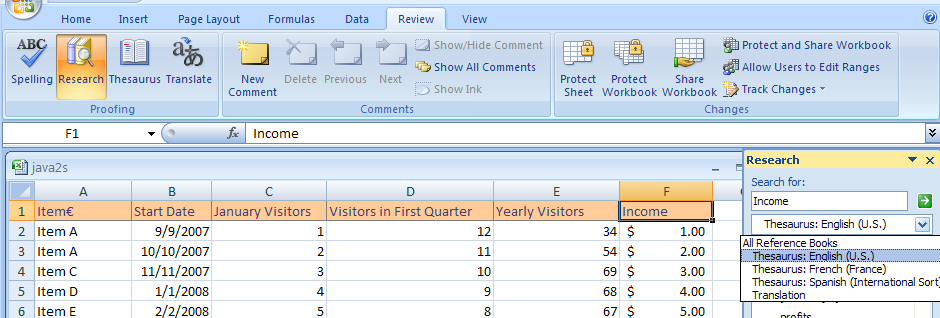
In Word Processing Programs such as Microsoft Word, there is a built-in Thesaurus that is there for the purpose of allowing users to synonyms without leaving the program.
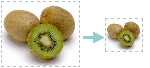
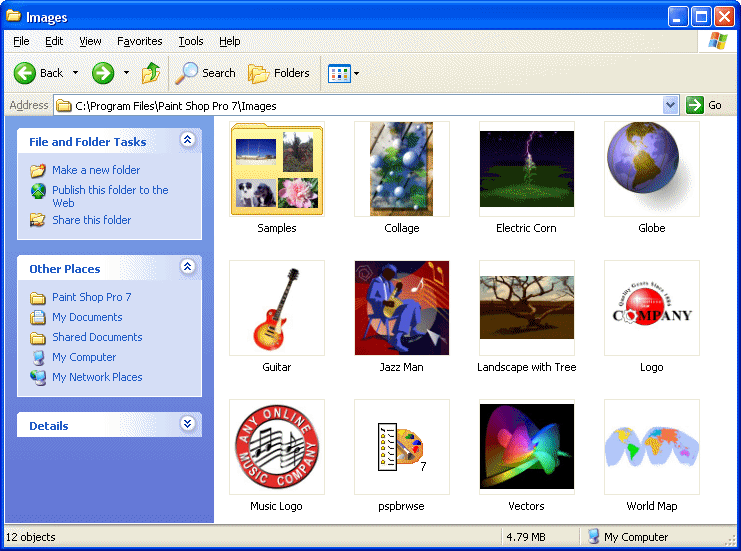
In Programs like Microsoft PowerPoint and other programs and displays of a computer, we find thumnails. Generally, Thumbnails are very small images of documents or files which are reduced as a display. When you look at a Thumbnail, you do not see a minature version of the entire document or file, instead you see the most noticable aspects of it.