Thursday, March 25, 2010

Desktop


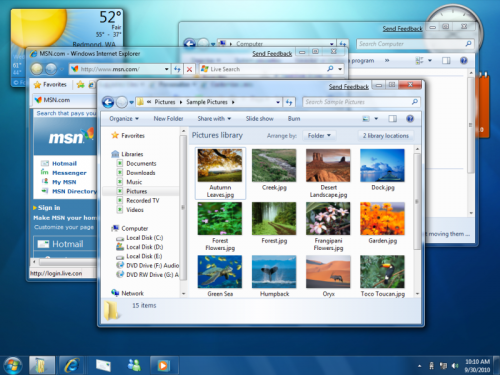
A Desktop is the first screen that users see after initiating a computer system. It is an environment created by a GUI (Graphic User Interface) system, and can be found on most of todays PC's (Personal Computers). It displays some of the most important Operating System resources, folders, icons, and widgets that are commonly used by users.

Folder


In a computers, a folder is a virtual storage device used to display files saved in a computer. A computer system can contain hundreds of thousands of folders and the purpose of folders is to organize and store related files together.

Friday, March 19, 2010

Icons


Icons are images simulated by computer Graphical User Intefaces (GUIs). Once any of these images are selected, a task is performed so that users do not have to struggle remembering comands and having to enter them in a command prompt.

Maximize


Maximize is another performance task used in both GUIs (Graphical User Interfaces) and Command-Line Interfaces. It allows you to manipulate open windows by turning them from average size into full size making them take up the whole desktop. Once you have used this function users have the ability to resize their window to normal size by pressing the restore button that takes its place.

Menu


A Menu is the term given to drop-down lists which display commands so that they can be excecuted. Menus are used in computers with a Graphical User Interface and not in a Command-Line Interface because a Menu is usually displayed somewhere in the computer, and in a Command Line Interface, this is not possible because every single command has to be written down. Menus can be accesed with the click of a Mouse, the click of a key in a Keyboard, with an Electro Mechanical Pointer/ Light Pen, or by the touch of the screen. In computers used by those that are disabled, Menus are accessed by voice commands. The most common type of Menu is a computer's start Menu.

Menu Bar

A Menu Bar is a computer bar which includes very important tasks and options. Options in the Menu Bar usually include File, Edit, View, History, Bookmarks, Tools, and Help and these options are present in all Web Browsers. Once these options are clicked, more options are displayed and they include tasks like Print, Undo, Redo, Copy, Paste, Refresh, Help, View History, and etc. Operating systems such as Mac make use of the Menu Bars very differently than the Windows OS. They have Menu Bars on the top of their Desktop, and these Menu Bars cary out basically the same instructions like a Windows Start Menu. Menu Bars are always placed horizontally.

Thursday, March 18, 2010

Minimize

Minimize is a funcion provided by any User Interface that allows users to shrink a window in to the Taskbar, removing it from a Monitors Display, but not terminating the application or program. The program can then be restored to full size and displayed again by clickin its Title Bar in the Taskbar.

Pointing Device


A Pointing Device is a device also known as a HID (Human Interface Device). It is a device such as a Computer Mouse or Computer Touch Pad, that establishes a connection between a user and a computer, by allowing users to select options, programs, and etc, with the movement of a peripheral device.

Restore


Restore is a computer command used in both GUI's and Command-Line Interfaces, and also in computer memory. It is a setting/option that will alow you to make a minimized window reappear in full size. In memory, the term restore is incorporated by allowing users to bring back a previously deleted file, or by resetting a computer back to a previous state.

Scroll Bars


Scroll Bars are two dimensional computer components that are found in every computer, no matter if your computer has a Command-Line Interface or a Graphical User Interface. They are horizontal and vertical bars that let u scroll a page in the opposite directions. Not only are they found in computers, but they are found in a wide range of electronic devices such as portable media players, cell phones, and even graphing calculators.

Title Bar

A Title Bar is a component that belongs to computer windows. Its purpose is to specify the title/name of a program and in most GUI (Graphical User Interface) OSs (Operating Systems) its placement is horizontal. Operating Systems such as Mac and Windows allow users to move Windows by grabbing the Title Bar of a program. It is a big part of the Desktop environment.

Taskbar


A Taskbar is another computer display function made possible by a GUI (Graphical User Interface) System. It allows users to launch and monitor programs and tasks. It was first incorporated by Microsoft in 1995 in the Windows 95 Operating System. With advancements made in GUI systems, Taskbars can also be identified as Docks, and can have a transparent appearance. It contains the start button and menu, can support quick launch functions, and can support shortcuts to computer, networks, software and programs, and has the ability to have icons "pinned" to it, so they can serve as shortcuts.

Toolbar


A Toolbar is a widget provided by a GUI (Graphical User Interface) and has buttons, menus, and short cuts to provide easier access to programs and files. There isn't much of a difference between a toolbar and a row of buttons.

Window


A Window is a visual used in computers that contains a user interface, either a graphical interface or a command line interface. Windows can be manipulated by mouse cursors and appear in two dimensional boxes, located above the desktop. Some of today's advancements have allowed Operating System Programs to generate semi transparent windows.

Wednesday, March 17, 2010

How Will Technology help me?


Technology plays a big part of my life for communications, entertainment, home work, and work. Without it, my life would be very different. It is a big help and is guaranteed to serve as a big help in my future. It will be found in mostly any career that i would want to pursue. For example, if i wanted to work as a cartoonist or animator, i would need to have programs and software such as that of Adobe technology to animate cartoons instead of having to use the old school method of the "Zoe-trope".
If i wanted to pursue a career in the military/navy/army/marines i would need the use of technology for weapons and radar tracking devices. If i wanted to become a business owner, i would need technological/computer application software such as the Microsoft Office Suite so that i can make spread sheets and word documents. If i wanted to work in a company such as Dell, Apple, or windows, technology would help me by allowing me to make better software, and hardware adjustments. No matter what career or future i want, technology will always be there by my side to help me.

Saturday, March 13, 2010

Algorithm


In computers, the term Algorithm is given to a finite sequence of operations used to perform a task. Algorithms are essentially used for calculations, and data processing. An algorithm is a set of specific instructions used for guidance in a process all the way from start to finsish.

Applications Software


Application Software/Apps are programs created to perform a specific tasks. These tasks include Word Processing Programs, Web Browsing, Spreadsheet Software, Presentation Software, Database Software, and Games. It is useful when users need to produce or perform a certain type of work. Some application software come in bundles/suites and examples of this are Microsoft Office, Open Office, and iWork.

Boot


A computer "Boot (shortened word for Bootstrap)" is known as the start-up process used to turn on an Operating System, when activated by a user. It is a sequence of operations which then start the main OS and this term comes from a metaphor in which a person can pull the straps of leather boots without outside help, and in computers it means that a system cannot start without the software being loaded first. That's why when you turn on a computer, it enters a Boot sequence.

GUIs (Graphical User Interface/s)


A GUI (Graphical User Interface) is a computer device which allows users to interact with their computers, but allows them to do more than just typing. This allows interaction between a computer and a hand held device, mp3 players, and other media devices. The first known computer that included a GUI was the Macintosh 128k. A GUI also creates a more interesting computer experience with engineered drawings that serve as icons, visuals, menus, and pointing devices. The most common GUIs today are Windows, Macintosh, and X Windows System (System Software for Network Computers) interfaces.

Language Translators


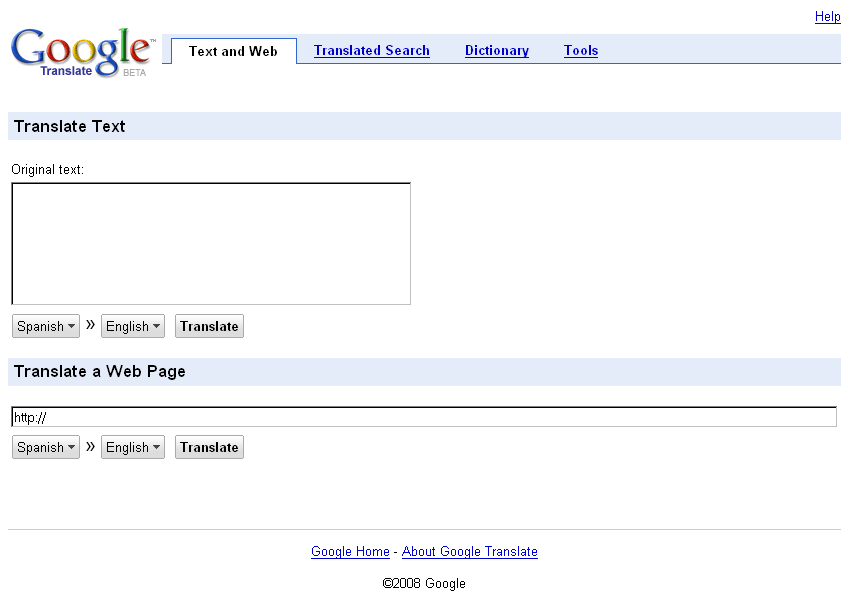
Language Translators are computer programs with the ability to change or translate text from one language to another. It can also be describes as a device that converts instructions which are written in one language, into another.

MS-DOS


MS-DOS (MicroSoft-Disk Operating System) was a common operating system mainly used during the 80's and 90's and would work with Personal Computers that had an Intel 8086 processor. It was designed by Microsoft and copyrighted in 1979. It was mostly found in IBM PC's and had 8 major versions of it released until the year 2000 when development of this operating system ended. It was basic operating system which many of the basic windows versions used as a GUI (Graphic User Interface). Support for this operating system ended in 2002.

Multitasking


Multitasking in Computers is a term used to describe multiple tasks/processes that are being performed because of the CPU (Central Processing Unit). It allows you to swap programs, while they are processed by the CPU at the same time.

Friday, March 12, 2010

Network Operating System


A Network Operating Systems are operating systems which allow computers to share data with other computers in the same network. It contains the programs and components so that a computer can run on a network.

Operating Systems


An Operating System (OS) is a interface that is shared by Users and Hardware. It manages activities that are performed by computers, and is a host so that application software could be run on. Applications are run through Application Programming Interfaces which request services from an operating system. The three main operating systems are Windows, Mac, and Unix.
Thursday, March 11, 2010

Software Development


Software Development is an act in which computer software is created. The reason that companies have software development is so that they could meet the demands and needs of their users. Before beginning software development, research, maintenance, and modification of software is made. The process in which software development takes place involves marketing, engineering, research and development, and finally marketting once everything is complete.

System Software


System Sofware is software designed for computers that allows application software to be used in computers as well. System Software includes BIOS and Firmware which allow control of devices built in the computer, Operating System like Windows, Mac, or Linux which transfer data from devices and displays them, and it also includes Utility sofware which is important fo computer maintenance.

Unix


Unix is a system, that just like Macintosh and Windows, is designed to operate a computer. Production of this operating system began in 1969 and it began with a group of AT&T employes. Overtime, development of this OS have continued through AT&T and non-profit organizations. There are operating systems that are just like Unix and are classified as Unix-like systems. Some of these systems incude Linux, BDN, and Mac OS X which are all Graphic User Interface (GUI) just like Unix.

User Interface


A User Interface is known as the point where interactions take place between humans and computer machines. It is used by humans to control and operate computers and so that computers can support input and output devices.

Utility Sofware


Utility Software is software that is designed for the specific computer maintenance purposes. It can boost computer speed, get rid of the junk files in a computer, and get rid of unwanted files in the computer that contain viruses, and spy ware.

Tuesday, March 9, 2010

10 Steps Algorithm For Making Coffee


1)The first step is to make sure that you have a coffee mix and if not buy one at the store. 2) Get a saucepan. 3)Put water in the saucepan. 4)Put the saucepan and water in a stove to boil. 5)Once it's boiling add two or three tea spoons of the coffee mix. 6)Put sugar in the coffee unless you want to take it strong. 7)Add milk unless you want to drink it regularly. 8)Get a drinking cup/tea cup. 9)Pour the coffee in the drinking cup/tea cup. 10)Drink the coffee!!

What is Software?


Computer Software is digitally stored information that can be both read and written by a computer. Software includes data for word processing, the operating system, video games, and it contains data that allows input devices and other external devices to be read by the computer.

Thursday, February 25, 2010

I/O Devices


I/O Devices are devices that can perform the same operations as both an input and an output device. It can send and display data of a computer. An example of an Input and Output device is RAM (Random Access Memory) because it processes information sent to a computer, allowing the computer to display it. Another example is a CD-ROM device because it can contain information or have information digitally encoded on it, and then be displayed in a computer.

Storage Devices and their Categories


There are several different types of storage devices. The purpose of storage devices is to save information, display it, or erase it. Storage devices can be classified as Portable Memory, Short Term Memory, and Long Term Memory. One example of a storage device is RAM(Random Access Memory). This type of memory involves data being stored in a computer, but when a computer is turned off, the memory is erased. This is an example of short term memory. ROM (Read Only Memory) is an example of long term memory that cannot be modified. An external hard-drive is an example of portable memory. You save data in it, and then you can plug into any computer to access your data. A floppy disc is an older example of memory and it is also portable. However, it's storage capacity is very low, and is very fragile. A hard drive is an example of Long Term memory, because it is incorporated in a computer, and cannot be taken out. A flash drive and a memory card are also examples of more portable data which can be taken and accessed anywhere. A CD-ROM is an example of Potable Memory which can be read by a computer, but it's contents cannot be changed. In order to change the contents of a CD-ROM the CD has to be CD-RW meaning Compact Disc-Rewritable. Another portable storage device is a DVD which stores information in a media format. The final example of a storage device is an online storage service such as Mediafire, which make digital copies of data and stores them on the web. This is an example of both Portable and Long Term Storage because it can be accessed from anywhere, and this information will be saved for as long as you want.
by Sara, Alexis, and Shawn.

Tuesday, February 23, 2010

What Is BIOS?


BIOS is firmware that is used by a PC as soon as it turns on. It's used to ignite the Video Display Card, Hard Disk, and the Floppy Disc Drive. It is known as a boot process.

Monday, February 15, 2010

ASCII (American Standard Code for Information Interchange)


The American Standard Code for Information Interchange (ASCII) is a system of computer character encoding that is based on the American Alphabet. They represent text in computers and other devices that involve text. Work on this system began in October of 1960 and there are 128 characters. 94 that are printable, 33 that are not, and Spacing. It was the most used Computer system for character encoding until 2008 when it was surpassed by another system known as UFT-8.

Bit


In computing, a Bit is the smallest piece of information used by a computer. It could be defined as a variable with only two corresponding values. Bits contain many conversions in which they can increase.

Byte


A byte is the unit for digital information in Computing and has the binary value of one. In virtual storage, 1 byte is equal to 8 bits, 1024 bytes are equivalent to 1 kilobyte, 1024 kilobytes are equivalent to 1 megabyte, 1024 megabytes are equivalent to one gigabyte and so on. However in disk storage and other external forms of storage 1000 bytes are equivalent to 1 kilobyte, 1000 Kilobytes are equivalent to a megabyte, 1000 megabytes are equivalent to one gigabyte and etc. Bytes represent information. For example 10 bytes could equal a word, a 100 bytes could equal a sentence, and 1000 bytes could equal a paragraph.

CD-ROM


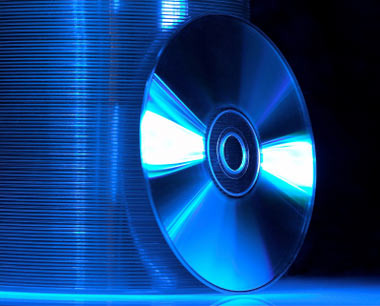
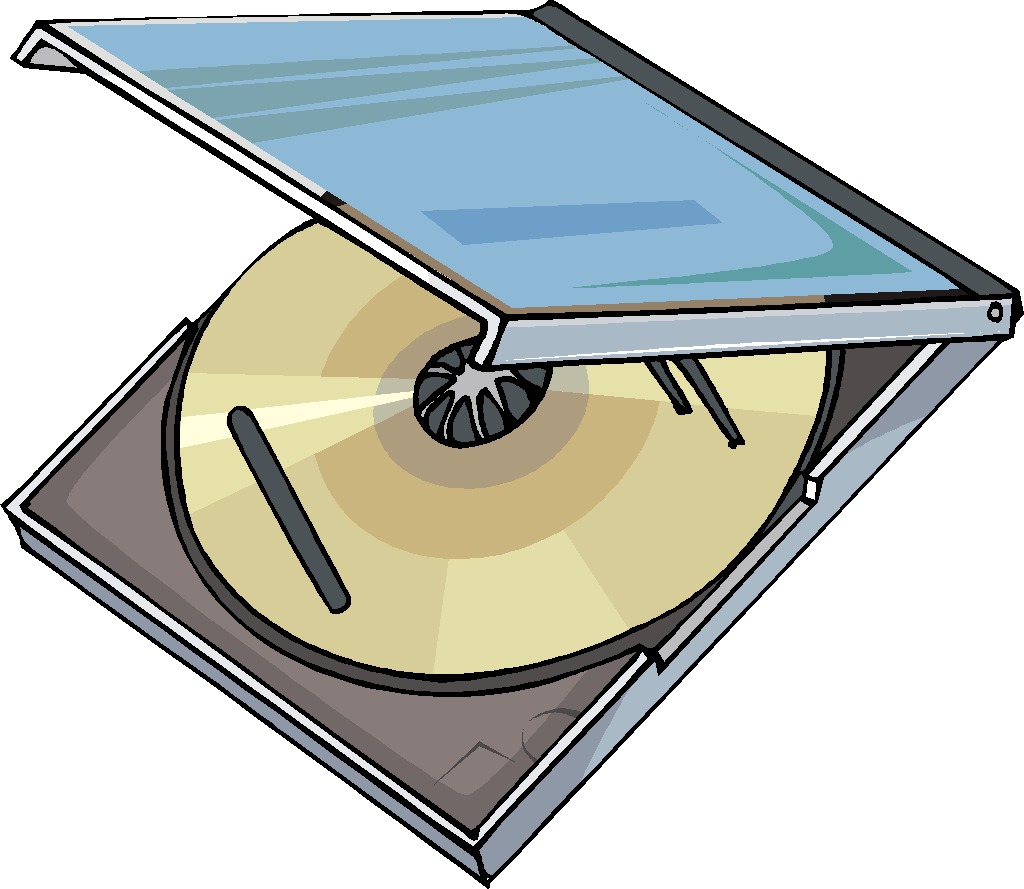
A CD-ROM is a Compact Disc with Read Only Memory. Compact disks are storage devices for media which can contain Pictures and Music but cannot be modified. They are mostly popular because of their use for distributing Computer Games and Applications. The first CD-ROM's date back to 1985. At first, these devices had much more memory capability than a hard drive but now it's the opposite. Though there are Holographic Versatile Discs under development which will contain much space for storage, no CD or CD-ROM device contains more memory than a Computer.

CPU (Central Processing Unit)


The Central Processing Unit (CPU) of a computer is the most important element of a computer used so that a computer can function. They have been used since the 60's and contain all the circuits, memory, and etc, that is used to run a computer. Before CPU's Computers had to be rewired before each use and CPU's brought an end to this dilemma because of their reliability and speed advantages.

Controller


A controller is a chip or an extension card which allows devices to be plugged in and used in a computer. It can also serve as a link between internal devices of a computer or an external device being used with a computer.

DVD


A DVD (Digital Versatile Disc/Digital Video Disc) is a form of optical disc storage used for storing media such as videos. They were developed by the companies of Sony and Phillips in 1995 and store more than 6 times the amount of data as a CD (Compact Disc). Some DVD's are called DVD-ROM meaning that once information has been stored in them, the information cannot be modified, and other DVD's are called DVD-R, the R standing for Re-Writable. They come in different formats with different capacities of storage. Data is encoded through DVD's through laser technology and overtime, advances have been made for the image quality of a DVD. In 2006 a new format was released known as the Blu-Ray with better image and sound qualities, but DVD's still prove to be superior in market sales.

Execution Cycle (E-Cycle)


The Execution cycle, also referred as the E-Cycle is the process in which a given instruction is carried out/executed. Before a program can be executed, it has to be recognized in the computer's memory so that the E-Cycle can function properly.

Hard Disk Drive


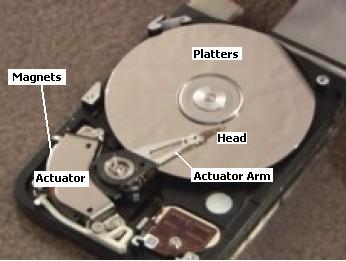
The Hard Disk Drive of a Computer is a storage device that has the ability to retain information even if a computer is not turned on. Data is recorded in a metal platter that has a magnetic surface. These devices were introduced by IBM in 1956 for the purposes of data storage. In the 90's the use of HDD's (Hard Disk Drives) were expanded outside the fields of computer technology and applied to camcorders, cellphones, digital video players and recorders, PDA's (Personal Digital Assistant) and video game consoles.

Impact Printers


Impact Printers are printers which operate by having needle heads that bang against an ink ribbon so that images can be produced on paper. These types of printers make a considerable amount of noise compared to Non-Impact Printers.

Sunday, February 14, 2010

Input Devices


Input devices are pieces of computer hardware and equipment that are used to provide data and send signals to processing systems which are also computers. Keyboards, pointers, graphics controlling devices, and game controllers are all examples of input devices.

Instruction Cycle (I-Cycle)


The Instruction Cycle is when machine language is processed by a computer from its memory and a series of actions are used to instruct the start of a program from the CPU. With this cycle, the commence of a program is instructed, the program is then executed, and then all results are saved.

Keyboard

A keyboard is an input device used for computers and its original modeling came from the type writer. In keyboards, arrangements of buttons which are also called keys, are used as electronic switches that create symbols that are displayed by a computer monitor. Different combinations of key arrangements are used to perform different tasks. Keyboards can produced both lettering and numbering, and computer commands. Combinations such as Control+Alt+Delete can be used to end a working computer process, shut down, or reboot the system. There are keyboards that are integrated to laptops, make contact through a USB port, or are wireless and require frequencies and a receiver to operate.

Main Memory


In Computing, Main Memory is a storage device used by a computer to save current executing programs and data. Today the main memory of a computer comes from integrated circuits and other sources for storage capacity which include cache, PROM, magnetic disks, and magnetic tape.

Memory


The term memory is used in computing for data storage meaning components of a computer that are digitally stored and is a main component of modern computers along with the CPU (Central Processing Unit). RAM(Random Access Memory) are examples of memory and data storage. External drives and flash drives are examples of external devices that also serve the same purpose of data storage.

Motherboard

The motherboard of a computer is the central circuit board which contains many of the most crucial and important components of the system. Before motherboards came along odd designs of wires and boards and card connector pins were found in a computer. Quickly, the circuit board became the alternative and a motherboard can be found in all modern day computers. As time went by and technology advanced, motherboards were programmed to support a keyboard, a mouse, a floppy disk drive, serial ports, and later audio, video, storage, and networking functions were added to them. Now a motherboard symbolizes a circuit board with a capability of extended performance.